Note: all comments are moderated. Only SharePoint related comments allowed.
Easy Contacts Management System
March 13th, 2012 No comments
So, what’s wrong with Outlook or SharePoint lists connected to Outlook or any of the available titles out there? Basically, nothing.
Easy Contact Management (ECM) is a web based simple solution for those who do not plan to use SharePoint or would like to have full control over their contacts (of course, you still have the option to use BCS and view Easy Contacts from SharePoint).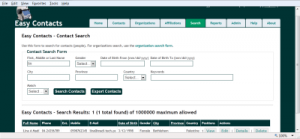
Easy Contacts divide contacts into individual contacts and organizations contacts, then creates affiliations (or positions) that connects both. Imagine a person who works for more than one organization or institution (ex. board member or consultant). Outlook has several address and contact categories (home, business, other) and for people who belong to the same institution, you get repetition (company information). In Easy Contacts, an individual is entered only once and so are institutions (except for a field for director or main contact, which can be selected from individual contacts using auto-complete, but can also be a person who is not a contact – not recommended).
Searching and reporting is also easy and flexible. You are allowed to export advanced search results for further work (ex. address labels or mail merge). Single records can be saved as vCard and a sample label is provided for copying and further formatting (font, face and order – based on locale).
Records have up to 6 levels of protection combined with 6 user roles. You can keep your sensitive contacts secure if you want. Security applies to viewing, editing, deletion, search, reporting and auto-complete suggestions.
See more in the Easy Contacts FAQ.
Document Management Systems – SharePoint 2010 vs Others
February 26th, 2012 1 comment
One of the main and early adoption reasons for SharePoint implementation is document management. This could branch later to records management or content management, but document management usually comes first.
There are other available solutions out there: open source, desktop or web based, so which is better and how do you pick and choose?
There is actually no definite answer. Even the question of which is better is not very relevant. What matters is what is good for your own environment and what gives you real added value now and in the near future (what survives past your recent or current strategic plan).
Document management is about controlling the life cycle of a document: creation (or acquisition), security, storage, classification (taxonomy), review (editing and approval), publishing, retention (or disposal). There are other internal details to these processes involving policies, guidelines, templating, conversion, auditing and compliance – to mention a few.
SharePoint 2010 has the main required features to function as both document and record management system as well as ECM (enterprise content management). It integrates very well with MS Office products (especially MS Office 2007 and Microsoft Office 2010). It has a flexible customization set of tools, starting from the browser and ending with Visual Studio 2010 development.
However, SharePoint 2010 is lacking some features like document capture or high volume processing capability (ex. Invoicing, as indicated in ). There are custom third party solutions to complement SharePoint in various functional areas (ex. capture solutions from KnowledgeLake, Canon and others).
Alfresco is probably the best known open source competitor to SharePoint in the document management area. It also have a paid version, but does not offer the collaboration you find in SharePoint and its aspects (categories) are not capable of true taxonomy.
DokMee has both desktop and web versions with basic features including workflow but apparently no collaboration or taxonomy. Teamspace also has basic document management features. In fact, there are plenty of solutions out there, some of which are hosted like the Office 365.
So which one to choose? Again, the relevant question is what are the selection criteria?
Obviously, the total cost of ownership is a major factor. This includes hardware, software, licensing, training and maintenance. The set of required features is another. Features are likely to differ from one institution to another (basic features are likely to be shared, but if you are in legal business you may have different additional features from a media house). Return on investment (ROI) is usually important especially for the private sector, but return is not limited to money. Organization culture, governance and technical background (other past and present solutions) are also important.
It will take a few good hours of brainstorming before you decide and you should not start with competitive products on the table and a task to choose from – that will be a recipe for tension and frustration. Start with your strategy (goals) and align your discussion with those goals.
SharePoint 2010 Training Resources
February 25th, 2012 No comments
For a successful implementation of a SharePoint project, in addition to planning, governance and change management, technical capacity is needed at various levels. Implementers, administrators and support staff will require various knowledge and skills in terms of platform architecture, security, object model and out of the box customization in addition to no code and code based solutions. Integration with MS Office, Exchange and other Microsoft and other vendors products is also required.
For end users, it is not enough to just know how to add an item to a list or understand the life cycle of a document. Other information and knowledge management skills will add value.
SharePoint training and capacity building is available in several formats and to several target audiences at various complexities. A working approach is to start from the big picture to know what SharePoint is and is not. Since SharePoint is a large platform, one usually ends up focusing on few areas with a working knowledge of the system as a whole.
If you are new to SharePoint, it is recommended to start with an introductory book or two like the step by step or the plain and simple series (maybe the dummies as well). I have already posted some pointers in the SharePoint 2010 Books post (covers other related books like InfoPath and SharePoint Designer). Once you gain the basics, you could vary your training and learning resources from online SharePoint 2010 tutorials and movie clips to articles and blogs or full training courses or presentations. It is recommended to have a trial or test installation to play with at this point – see SharePoint 2010 Useful Links.
If you are after certification, you should start at the Microsoft SharePoint Training site (in addition to the Microsoft SharePoint Learning resources).
SharePoint (server, designer and InfoPath) video training (subscription or on DVD) are offered by major training providers like Lynda.com, AppDev, TrainSignal, CBTNuggets and KAlliance in addition to face to face classes if they are offered in your area.
For end user training, you may use the Show Me product from Point8020, the MS productivity hub (see related tutorial) or the Microsoft SharePoint Help site. You can also find SharePoint 2010 tutorials for both end users and developers on YouTube or some SharePoint hosting providers sites.
Easy Attendance
February 18th, 2012 No comments
Easy Attendance is a web based attendance, leaves, overtime and vacations tracking and management system. This easy to use application does not depend on SharePoint, but uses the dot net framework as its foundation. No time clocks are involved.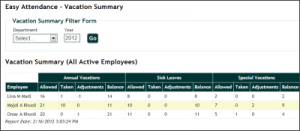
Employees can view their own records and time aggregations. They can optionally enter their attendance, leaves, overtime and vacation records as well (this may sound odd but worth trying).
Easy Attendance uses some data integrity checks to avoid duplicates. For example, only one attendance record per day per employee and vacation start date is unique per employee. Also, vacation days balance is checked before a record is saved.
For the HR admins, you get a snap shot of the attendance status for all employees or per department on any day, or during any month for an employee. The same is true for leaves and overtime. Vacations are listed summarized per employee per year or for a department or all employees (crosstab summary).
You can find more in the Easy Attendance FAQ, including how to download, install and register the application. The free version is limited to 10 employees.
Easy Training Management
February 4th, 2012 No comments
Easy Training Management (ETM) is a web based training management information system and simple CRM. This is a dot net application and has no dependence on SharePoint. Sure, you can build a similar system on top of SharePoint if you have it installed, but may have to do custom coding beyond SharePoint Designer and workflows to get some functionality.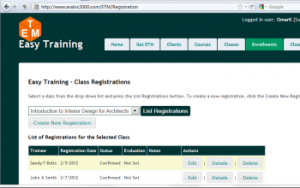
ETM is mainly for training providers but can also be used by institutions to track training taken by their staff. The application runs under IIS 7 or later and uses the free MS SQL Express for its data storage. It uses Forms authentication for data entry and to optionally allow returning students to register for upcoming classes.
With ETM, you track trainees, trainers, coordinators and any class administrators together with course categories, courses, classes and class rosters. You can search and export using flexible criteria. The client (trainee, trainer, ..) contact form has a number of fields that can be used for training targeting. The system enables the addition of client CVs and course description files.
If hosted online, an option to allow returning students (those already in the system) to login, view their own data and optionally sign up for upcoming courses is also available. Security is in place to protect records from deletion and to control access to system and user management. Logic is also implemented to prevent duplicate clients or registrations and to enforce class capacity.
You can download and install a trial version of ETM (fully functional with 25 client records limit) by visiting the ETM FAQ. Information on purchasing ETM is also available in the FAQ.
Categories: General Easy Training Management, ETM, Training CRM, Training Management Information System